Disclosure: This article contains affiliate links. If you click and sign up, AITechStackReview may earn a commission at no extra cost to you. We only recommend tools we have personally evaluated.
Quick Verdict
LiveChat earns its reputation. The combination of a genuinely clean interface, reliable AI reply suggestions, and one of the deepest integration libraries in the category makes it the easiest recommendation for small and mid-size businesses that want to add live chat without a complicated setup. It's not the cheapest option — but it's the one most teams actually stick with.
Starting Price
$20
per agent/month
Free Trial
14 days
no card required
Integrations
200+
including Shopify, HubSpot
Our Rating
4.7/5
Editor's Choice
Our Rating Breakdown
| Category |
Score |
Rating |
| Ease of Use |
4.9 |
|
| AI Features |
4.6 |
|
| Integrations |
4.8 |
|
| Value for Money |
4.5 |
|
| Customer Support |
4.7 |
|
What Is LiveChat?
LiveChat is a customer communication platform that lets businesses talk to website visitors in real time through a chat widget. It's been around since 2002 — which in SaaS years means they've had time to figure out what actually matters — and today it serves over 37,000 businesses across more than 150 countries.
The core product is a live chat widget you embed on your website. When visitors land on your site, they can open the chat and connect directly with your team. Your agents manage those conversations from a clean dashboard that shows who's on the site, what pages they've visited, and the full conversation history. It's not complicated — and that's the point.
What separates LiveChat from basic chat tools is the layer of intelligence around each conversation. AI reply suggestions surface relevant responses as agents type. Automated greetings trigger based on visitor behavior. Canned responses keep common answers fast. And if you connect it to ChatBot.com (a related product from the same company), you can automate entire conversation flows before a human ever enters the chat.
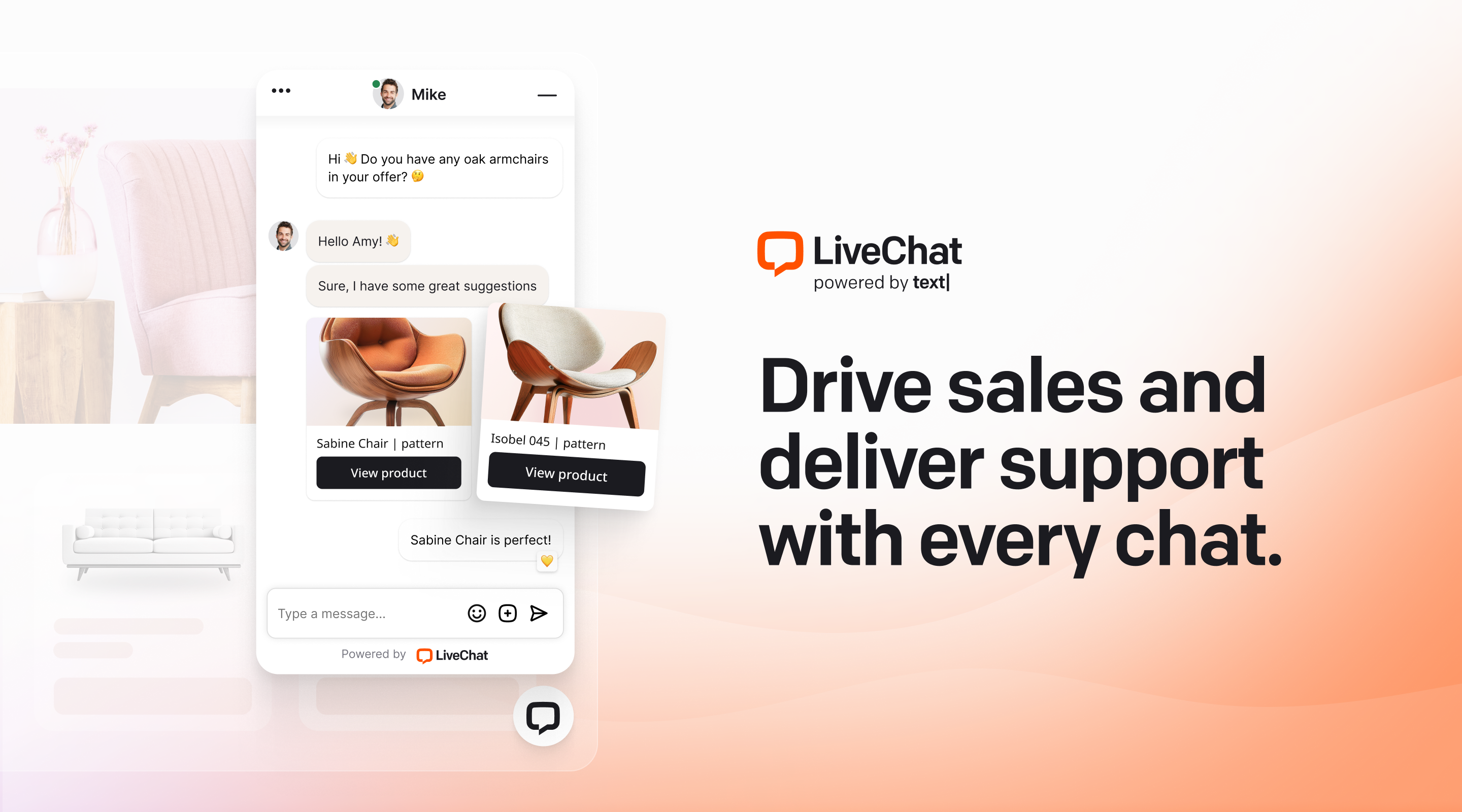
LiveChat's chat widget works across desktop and mobile with a clean, branded interface
Key Features
AI-Powered Reply Suggestions
As an agent types a response, LiveChat's AI surfaces suggested replies based on the conversation context and your previous chats. In practice this cuts response time significantly — especially for teams handling repetitive questions. The suggestions aren't robotic; they pull from your actual conversation history so they reflect how your team actually communicates. You can accept, edit, or ignore each suggestion with a single click.
Visitor Tracking and Targeting
The visitor monitoring panel shows you everyone currently on your site, which page they're on, how long they've been there, and where they came from. You can set automated triggers that proactively open the chat widget when a visitor hits certain conditions — spending more than 60 seconds on a pricing page, for example, or returning for the third time in a week. This feature alone can meaningfully improve conversion rates for e-commerce and SaaS businesses.
Canned Responses and Knowledge Base
Canned responses let agents answer frequent questions in seconds rather than typing from scratch every time. You can organize them into categories and search them mid-conversation. The built-in knowledge base lets you build a library of help articles that agents can pull from directly inside the chat interface — or surface to customers as self-service suggestions before they even type a question.
Chat Routing and Assignment
LiveChat routes incoming chats based on rules you define — by department, skill, availability, or custom tags. If your sales team and support team need separate queues, that's straightforward to set up. You can also transfer chats between agents mid-conversation without the customer noticing any friction.
Reporting and Analytics
The reporting dashboard covers the metrics that matter: chat volume, response time, customer satisfaction scores, agent performance, and missed chats. On Team and Business plans you get access to more granular data including first response time breakdowns and custom date ranges. It's not a deep analytics platform, but it gives you enough to identify bottlenecks and coach agents on what's actually happening.
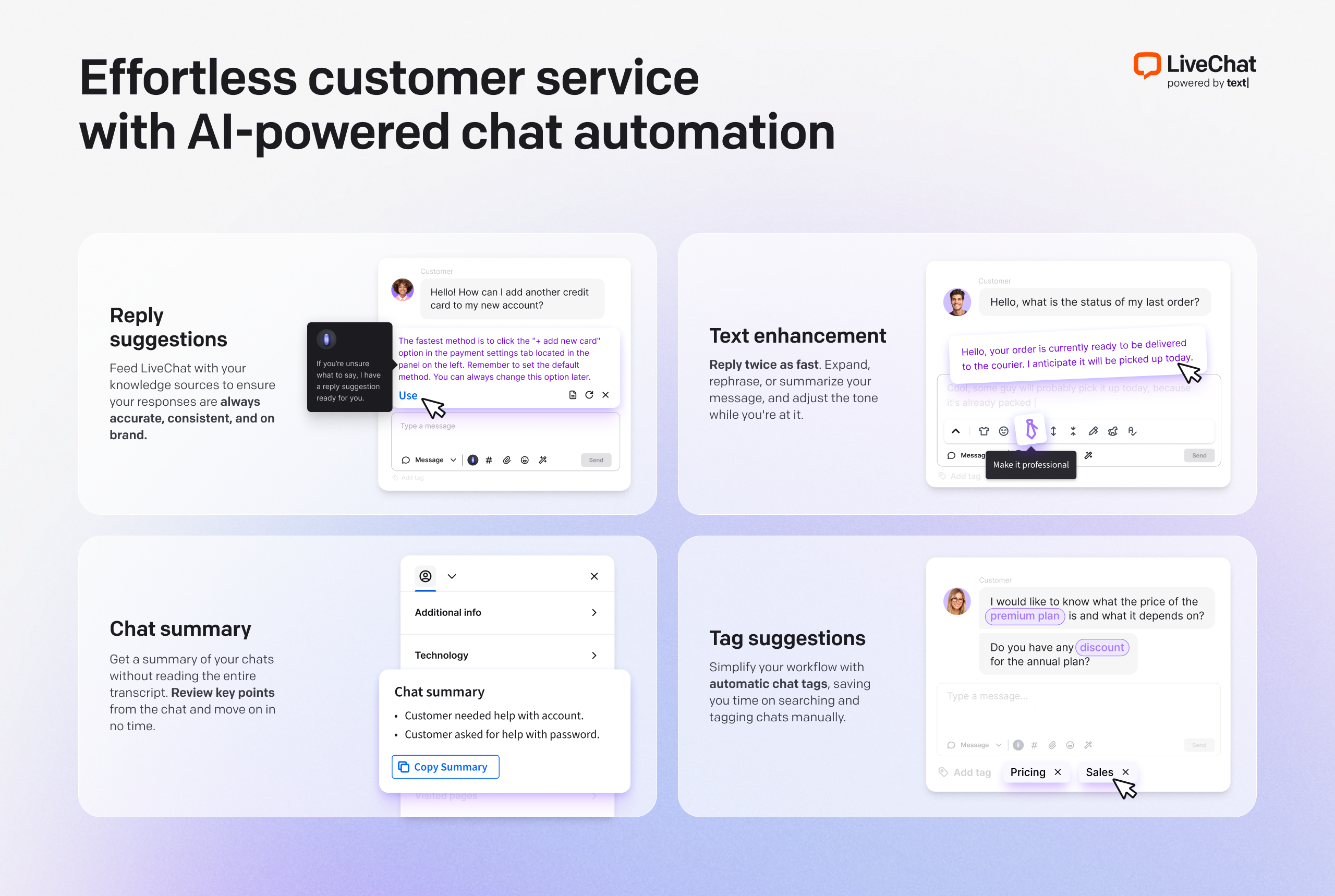
LiveChat's AI features include reply suggestions, automated tagging, and conversation summaries
Pricing
LiveChat pricing is per agent per month. Annual billing saves roughly 20% across all tiers. All plans include the 14-day free trial.
Starter
$20
per agent / month (billed annually)
- 60-day chat history
- Basic widget customization
- Ticketing system
- Data security
Team
$41
per agent / month (billed annually)
- Unlimited chat history
- Full widget customization
- Advanced reporting
- 200+ integrations
- AI reply suggestions
Business
$59
per agent / month (billed annually)
- All Team features
- Work scheduler
- SSO
- Advanced security
- Custom roles
The Team plan is the sweet spot for most small businesses — it unlocks the full integration library and AI features at a reasonable per-agent cost. Starter works if you're a solo operator, but the 60-day chat history limit will become a problem once you want to look back at patterns or resolve disputes.
What We Liked
- Setup takes under an hour on any website
- AI reply suggestions are genuinely useful
- 200+ integrations including Shopify and HubSpot
- Visitor monitoring and proactive triggers
- Clean mobile app for agents on the go
- Strong CSAT and reporting tools
What Could Be Better
- Starter plan limits chat history to 60 days
- Chatbot automation requires separate ChatBot.com subscription
- No built-in email marketing
- Can get expensive with large agent teams
Who Should Use LiveChat
Great fit for:
- E-commerce stores wanting to reduce cart abandonment
- SaaS companies with active trial user support
- Service businesses that close sales over chat
- Small teams that need a fast, reliable setup
- Businesses already using Shopify, HubSpot, or Salesforce
Not the best fit for:
- Businesses that need built-in chatbot automation without extra cost
- Large enterprise teams needing deep workforce management
- Businesses looking for an all-in-one helpdesk and email tool
LiveChat vs The Alternatives
| Tool |
Starting Price |
AI Features |
Integrations |
Free Trial |
Best For |
| LiveChat |
$20/agent/mo |
✓ Strong |
✓ 200+ |
✓ 14 days |
Small-mid business |
| Intercom |
$39/seat/mo |
✓ Very strong |
✓ 350+ |
✓ 14 days |
Growth-stage SaaS |
| Zendesk Chat |
$55/agent/mo |
✓ Good |
✓ 1,200+ |
✓ 14 days |
Enterprise support |
| Tidio |
$29/mo |
✓ Good |
Limited |
✓ Free plan |
Budget-conscious teams |
| Crisp |
$25/mo |
Basic |
Limited |
✓ Free plan |
Startups and freelancers |
Final Verdict
Our Verdict — Recommended
LiveChat is the easiest recommendation in the live chat category for small and mid-size businesses. The setup is fast, the AI features are practical rather than gimmicky, and the integration library covers almost every tool a growing business is likely to use. It's not the cheapest option, and if you need chatbot automation you'll be paying for a second product. But for a team that wants reliable, professional live chat without a steep learning curve, LiveChat is the one to start with.
Start Your Free 14-Day Trial
No credit card required. Full access to all Team plan features during the trial.
Try LiveChat Free →
Frequently Asked Questions
How much does LiveChat cost per month?
LiveChat starts at $20 per agent per month on the Starter plan. The Team plan runs $41/agent/month and Business is $59/agent/month. Enterprise pricing is custom. Annual billing brings each tier down by roughly 20%.
Does LiveChat have AI features?
Yes. LiveChat includes AI-assisted reply suggestions, automated tagging, chatbot integration via ChatBot.com, and AI summaries of conversations. The AI features improve noticeably with higher-tier plans.
What does LiveChat integrate with?
LiveChat integrates with over 200 tools including Shopify, WordPress, HubSpot, Salesforce, Mailchimp, Slack, Zendesk, and Google Analytics. Most integrations are available on Team and above.
Is LiveChat good for small businesses?
Yes, especially for e-commerce and service businesses. The Starter plan covers most small business needs. The setup takes under an hour, and the chat widget works on any website without technical expertise.
How does LiveChat compare to Intercom?
LiveChat is significantly more affordable than Intercom and easier to set up. Intercom has a broader product suite for large-scale customer success operations. For most small and mid-size businesses, LiveChat covers the essentials at a fraction of the price.
CN
Chris Navarro
Chris Navarro is a small business consultant and productivity enthusiast who specializes in helping entrepreneurs use AI tools to save time and grow their businesses. He has been an early adopter of AI tools since GPT-3.